
Consistent Round Shape
Coordinated disc rotation and pressing help roll dough into an even, round shape. Results depend on dough preparation, portion size and the selected settings.



SmartRoll Pro is an automatic chapati and roti rolling machine for prepared dough. Its microprocessor-controlled rolling process reduces repetitive hand-rolling work, while the Sensoware App lets you choose a thickness setting and send it to the machine.
Choose from 8, 10, 12, 14 and 16-inch model options to suit your flatbread size and kitchen workflow. SmartRoll Pro rolls the dough; cook the chapatis or rotis separately.
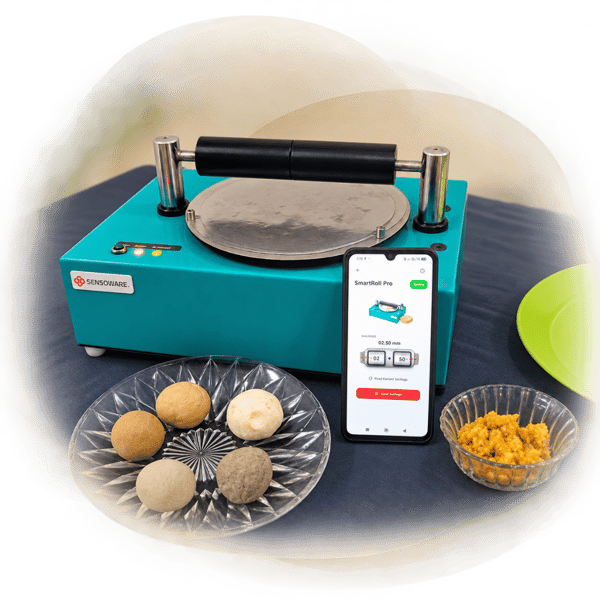
Coordinated disc rotation and pressing help roll dough into an even, round shape. Results depend on dough preparation, portion size and the selected settings.

Programmed pressing time and automatic reversal coordinate the rolling process, reducing repetitive manual rolling in your food-preparation workflow.

Automate the rolling stage to reduce hand-rolling effort and prepare successive chapatis and rotis with consistent settings. Output varies with dough and workflow.

Read the current thickness, choose a value in millimetres and tap Send Settings in the Sensoware App to send it to SmartRoll Pro. See how to set rolling thickness ↗

A compact tabletop format suits kitchens where preparation space matters. Confirm available worktop space, access and installation requirements before ordering.

Clean the machine after use and follow its operating and care instructions. Routine inspection and any servicing should follow the supplied guidance.
Adjust the rolling thickness in the Sensoware App, then send the setting to your automatic chapati and roti rolling machine.
Connect to your machine in the Sensoware App. Tap Read Current Settings to view its current thickness setting.
Adjust the thickness control to the required value in millimetres. The screenshot shows 0.50 mm as an example.
Tap Send Settings to send your selected thickness to SmartRoll Pro. Use Read Current Settings to check the machine’s setting.
Roll a trial piece and check the result before continuing. Dough consistency and portion size also affect the finished chapati or roti. Confirm the supported thickness range for your selected model.
Read the SmartRoll Pro app guide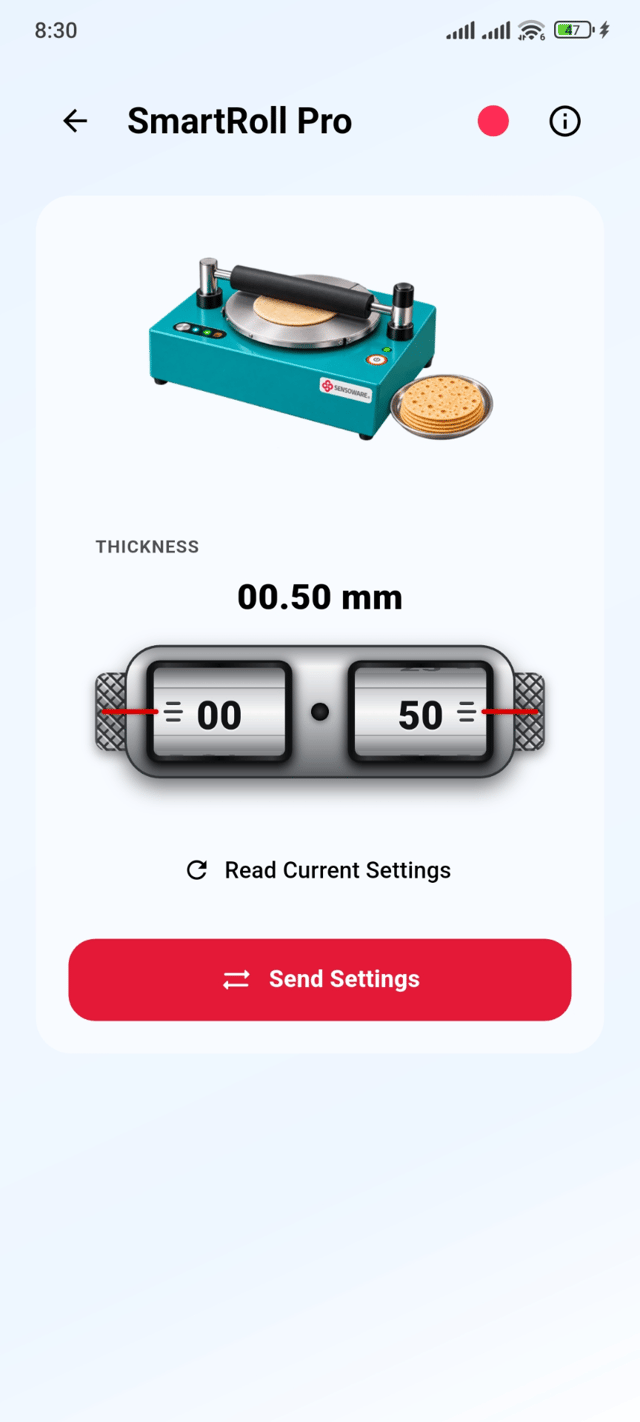
SmartRoll Pro rolls prepared dough into flatbreads. Cook the rolled chapatis or rotis separately using your usual cooking equipment.
The range includes 8, 10, 12, 14 and 16-inch model options. Choose the machine for your required rolling size using the ordering information below; these sizes do not mean every model rolls up to 16 inches.
SmartRoll Pro uses an automatic rolling process with thickness settings sent through the Sensoware App. SmartRoll Lite uses a semi-automatic, operator-guided rolling workflow. Compare SmartRoll Lite semi-automatic rolling machines.
Include your required rolling size, model code, daily preparation volume, delivery location and power supply requirements. For an export model, include the destination country so plug and voltage options can be confirmed.
Explore the SmartRoll Pro device guide for app controls and setup information.
Read the SmartRoll Pro guide ↗Find food-preparation options and discuss the right machine for your kitchen and daily volume.
Browse food processing machines ↗Choose an automatic chapati rolling machine for your required diameter. Each rolling size has its own standard and export model code. Share the code, preparation volume and delivery location when requesting SmartRoll Pro pricing.
| Rolling Size | Standard Model | Export Model |
|---|---|---|
| 8 inch | FM01 | XM01 |
| 10 inch | FM06 | XM06 |
| 12 inch | FM09 | XM09 |
| 14 inch | FM10 | XM10 |
| 16 inch | FM11 | XM11 |
FM = Standard model · XM = Export model
Export models are available with country-specific plugs and voltage options.