

Step-by-Step Timer Programming for Motorized Ball Valves
Set the current day and time, choose the days for each ON/OFF schedule and review your timer programs. Use the panel controls to operate the timer-controlled motorized ball valve and temporarily override a schedule when needed.
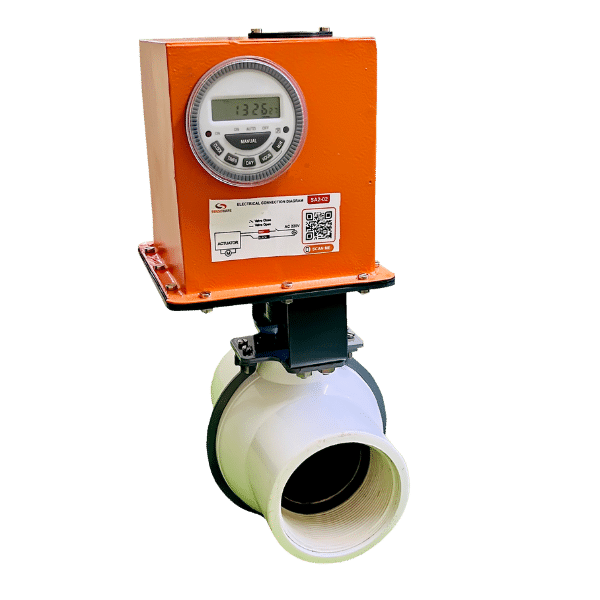
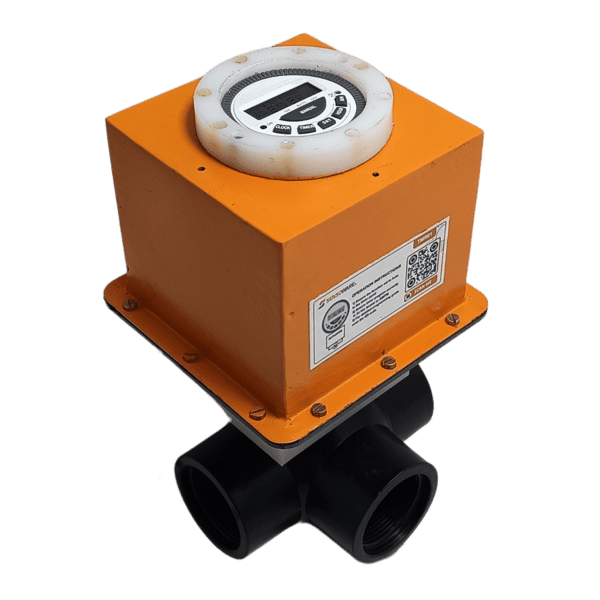
Overview of Panel Controls and LED Indicators
- TIMER: Review and set programs.
- MANUAL: Select ON, AUTO or OFF mode.
- CLOCK: Adjust the current day and time.
- DAY: Adjust the day of the week.
- HOUR: Adjust the hour.
- MIN: Adjust the minute.
- Reset button: Reset the timer settings.
- LED: Indicate ON/OFF status.

Adjusting the Clock
- Press and hold CLOCK.
- While holding CLOCK, press DAY to set the current day of the week.
- Press HOUR to set the current hour and MIN to set the current minute.
- Release CLOCK after setting the day and time.
Flexible Daily Program Combinations
The timer offers 15 preset combinations of days for scheduling:
- MO TU WE TH FR SA SU
- MO TU WE TH FR SA
- MO TU WE TH FR
- SA SU
- MO TU WE
- TH FR SA
- MO WE FR
- TU TH SA
- MO
- TU
- WE
- TH
- FR
- SA
- SU
Starting Timer Programming
- Press TIMER. The LCD displays
1 ON - : - -, indicating the ON time for Program 1. - Press DAY to select the desired daily combination. Each press cycles through the 15 available combinations.
- Press HOUR and MIN to set the hour and minute for
1 ON. - Press TIMER again. The display changes to
1 OFF - : - -, indicating the OFF time for Program 1. - Press DAY to choose the same day combination selected for the ON time.
- Set the OFF time using HOUR and MIN.
- Press TIMER again. The display changes to
2 ON - : - -for the next program. - Repeat steps 2–6 to add further ON/OFF schedules, up to the timer's program limit.
- Press CLOCK when all desired programs are set to exit programming mode and activate the timer.
Important: Select the same day combination for both the ON and OFF times of each program.
Reviewing Timer Programs
Press TIMER repeatedly to review the programmed schedules. The LCD cycles through each of the 6 or 8 ON/OFF time settings, displaying them one by one.
Using the Override Functions
Use temporary overrides to change the output status without deleting or modifying the programmed schedules.
Override functions only work when the timer is running in AUTO mode.
When the Timer Output is ON
- Press MANUAL to change from AUTO to OFF. The output switches OFF immediately, temporarily overriding the active program.
- Press MANUAL again to return to AUTO. The output remains OFF until the next programmed ON time.
When the Timer Output is OFF
- Press MANUAL to change from AUTO to ON. The output switches ON immediately, overriding the current program.
- Press MANUAL again to return to AUTO. The output remains ON until the next programmed OFF time.
In both cases, normal operation resumes at the next scheduled ON/OFF event.
Watch Timer Programming in Action
See how to set up and use the timer-controlled motorized ball valve in this step-by-step demonstration.
Download the Operating Guide
Download Timer Programming for Motorized Ball Valves (PDF, English, 4.20 MB)
Updated April 13, 2025.